
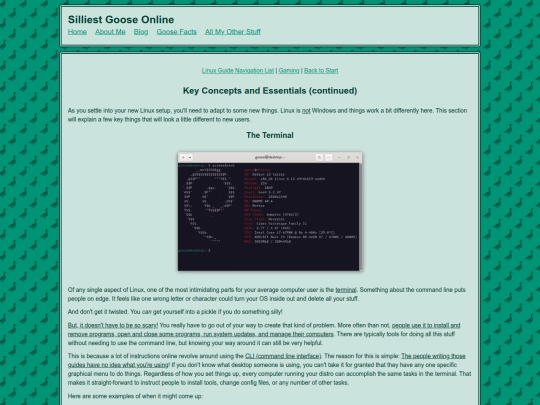
I plan on demonstrating the sort of outrageously dumb things you have to do to break a Linux install. Anyone have recommendations? sudo removing your bootloader without replacing it is my go-to.
2 likes
your sites really cool & i like all the geese stuff and i liked your umamumusme review (even though i never watched it, im kinda compelled to now lol). you said to notify you if using your button so uhh here i am 👍
2 likes
 silliestgoose-online
8 months ago
silliestgoose-online
8 months ago
hai hai! Thank you! I'll put a "my web neighborhood" section together and add yours to it :p
3 likes
2 likes
 tabf5
8 months ago
tabf5
8 months ago
Stay warm! This storm is gonna be ugly, it took me forever to get out of the grocery store today
1 like
I've been shadowboxing illness and executive dysfunction and catching up around the house after a week+ of not doing well, so I've not had it in me to do much with the site. here's hoping for a better week.
5 likes


Hi, I'm not sure if your email is working! I sent you a message a while ago saying that I put your button on my site
1 like
silliestgoose-online
8 months ago
hi! yes, I got your email but forgot to reply 😅 thank you! I was gonna look for yours but got neck deep into my latest project and it slipped my mind
1 like
Work on the Linux guide will have to wait. Trying to get laundry and housework done before heading to a football watch party tonight.
6 likes
2 likes
Adding a couple more pages to the linux guide today. I'll probably write up a conclusion, then proofread it and add pictures and stuff tomorrow.
3 likes
 bmh
8 months ago
bmh
8 months ago
I never knew Mint's firewall is off by default; if reminds me of the early version of Windows XP.
1 like
silliestgoose-online
8 months ago
yep! it's the final step in the "First Steps" section of their welcome screen. I was more surprised that Debian 13 ships without any firewall at all. You have to install firewalld or ufw to change firewall profiles.
1 like
silliestgoose-online
8 months ago
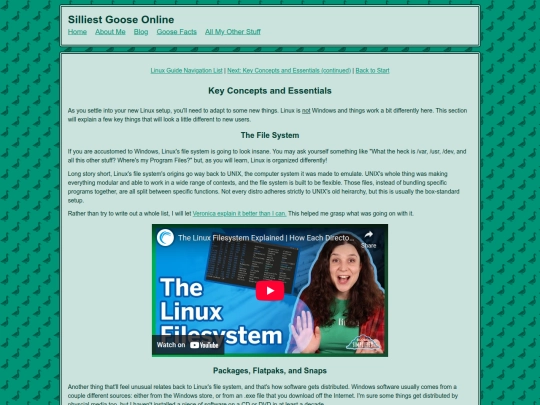
I think I'll add a part two to the "essentials" section, explaining sudo (and why you should take a second and think if anything asks for an admin password), and where to look for help and information. I.E., forums and documentation. Also how to communicate about your problem so someone can help.
silliestgoose-online
8 months ago
It's so incredibly frustrating when you're new to something, you run into some intractable problem, and you have neither the know-how nor the words to even explain the issue, let alone find a solution. So knowing where to start might help at least!
1 like
1 like
I didn't really mean to spend upwards of 5 hours writing tonight. But I feel good about the progress I made! I'll finish up the text tomorrow, do some proofreading, and start adding some images.
5 likes
![xX [ TR/BZ ] Xx avatar](/site_screenshots/41/77/toribytez/index.html.50x50.webp)


![olly place :] avatar](/site_screenshots/33/48/ollyjunkyard/index.html.50x50.webp)


basically, when showing people the terminal, i'll be like "can you break something? Sure! But, if you use it responsibly, you won't do anything nearly this destructive."
the "remove the french language pack" command is a good one too
I would probably remove one oddly specific file that breaks a specific and important part of the install that ends up crashing everything and bricking your computer
or like remove a few bash commands and cause a kernel panic in the middle of install