
backto00.exe [v5.0] - Image Destroyer
23,528 views
76 followers
240 updates
0 tips
backto00
8 months ago
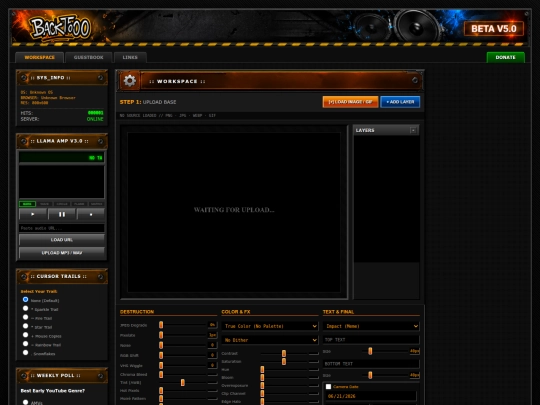
More updates: •We finally have a visual layer system where you can set whether you want your layers to be above or below others. •Added a Preview button that lets you view your image in full quality. •Added a Randomize button that gives you fully randomized effects. •Added new sliders: Chroma Subsampling, AWB Fail (Tint), Channel Clipping, Edge Sharpen Halo, Posterize Levels and Banding! •Added new presets. Enjoy! :)
Beta 4.0 is here! Here are the updates: •Complete visual overhaul, a brand new aesthetic that fits the 2000s way better. •The effect panels now support drop down, and they minimize so that you don't have to deal with not seeing your image when you go all the way down. •Even if you decide to keep them all on, now you'll see a mini preview of your image that updates as you edit it! •Updated DX-Breakout!
I had to be absent from here for the past month, but I can assure you that big updates are coming in the following weeks. Stay tuned!
More Beta v3.5 updates: •Added an Undo and Redo button! Now you can safely edit your image without thinking of the consequences. Enjoy!
More Beta v3.5 updates: •Added a new Gameboy preset! •Added a Corner Date Stamp where you can add the day the photo has been taken in. It's very customizable, so enjoy! •Added a new intro that simulates how sites worked back in the day, very slowly! (If you don't like it, you have the option in the footer to disable it. Your browser will remember your setting!) Hope you enjoy this update, I'll make sure to add more!
We're in Beta v3.5! That's right, we skipped 3.4, because we're so cool. Here's the list of new updates: •Added Hot Pixels, Moiré Pattern, Dust & Scratches and Color Smear to the Destruction tab. Enjoy! •Added Windows 95 and Teletext to the Palette dropdown. •Added Overexposure slider, so you get that shine you always needed in your life. •Added a Glitter Brush that replicates the MySpace era's iconic profile photos.


