
Hi!! Your layouts are so perfect,,, I am having trouble understanding how you got the images put into this (https://teppyslayouts.neocities.org/09/) layout of yours? :P
1 like
Hello! Thank you so much for the assets, I'm new to coding and your tips have helped a lot. I had a question regarding your site... I wanted to know how you did the cat mouth scrolling menu within a menu. I wanted to do something similar with a Tamagotchi format :V TY!
3 likes
 teppyslayouts
2 years ago
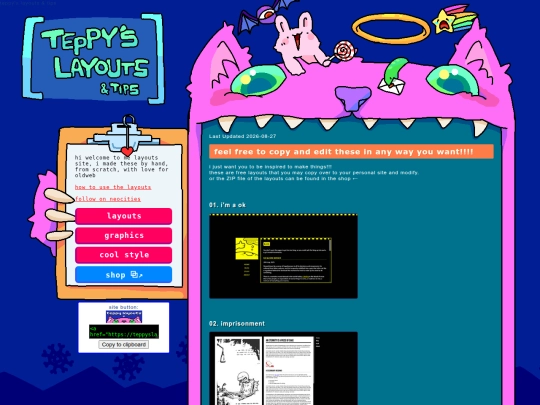
Hihi, thanks for the message - I'm not quite sure what you mean by menu within a menu, but the cat mouth is an iframe, like most of the layouts on here! So with your tamagotchi idea, you can have an iframe rectangle where the screen is
Sending you a virtual kiss on the forehead! Thank you so much for your layouts. I understand more from playing with them than I could ever grasp from HTML theory (I guess I'm a practical learner). You're the best!
2 likes
Hello! I'm extremely new to this site and your guide was so helpful, but I am not quite sure what I'm doing still. I'm not sure if you can help with this, but for some reason the text does not show up or something? I don't know, but your guide was super helpful in whole!

 radspeon
2 years ago
if you want to change the text color(because right now its black, thats why it wont show up!) without messing with css, you can easily add the style=color: attribute to your brackets! you cant use hex codes, you need to use html color names, such as 'lime,' which is what your navbar is colored as :) you can find more colors by googling 'html color names' though
radspeon
2 years ago
for some reason neocities doesnt lijke it when you type brackets straight up, i meant the 'p' bracket, which you use for paragraphs.
Having trouble with the iframes. I keep trying to give it that cool windows iframe you used but it doesn't show up https://havnt.neocities.org/
1 like
 melancholic-entrails
2 years ago
the iframe is working, actually! you just need to create a new file titled /home.html with this code: " Home / Blog / About / "
1 like
melancholic-entrails
2 years ago
ok well it clearly wouldn't let me paste the code but pretty much everything inside
melancholic-entrails
2 years ago
oh, and make sure you have the stylesheet.css document linked in the head!
teppyslayouts
2 years ago
ayoo did you get it figured out? it looks like the iframe is working at least for the home page for you
1 like
hello! i absolutely love your layouts. i'm using two of them--one for my own personal page, and another to make a website for my mom to organize all the recipes she finds online... a digital cookbook, if you please. i'm really excited! thank you for making this posssible for someone like me : ) you also inspired me to draw my own little emoticons using your puppy ones as a sizing guide... for me, they're bears!
2 likes
teppyslayouts
2 years ago
this is absolutely amazing. i love the graphics that you have on here. the animated banner makes it such a cooool atmosphere and I love the banner photo toooo I was so happy :D thank you
love your tutorials, I used one of your layouts as a base code for my own, thankyou so much! I was able to experiment and learn easily
3 likes
HALLO! BEAUTIFUL SIDE! if you wanted to try and fix the home page iframe:
1 like
teppyslayouts
2 years ago
you can look for "01home.html" in line 43 of home.html, and replace it with your "home2.html" ! ! hopefully this will fix it. the colors and graphics on your site are so awesome and i love it and i am happy
radspeon
2 years ago
TYSM OMG I DONT KNOW HOW I MISSED THAT LMFAOOO... mustve been a hurry trying to figure out why my layout broke :sob:.. THANK YOU!!!
2 likes


seconded!! Are you talking about the images in the css file? I can't get it running right.
hi, this might be a little late but i might be able to help. the simplest way to edit the avatar is to place the image in the root directory and name it "avvy.png", and "banner.png" for the banner. you can also edit the location those files are taken from by editing the "background-image: url('avvy.png');" line in the teppylayouts css file. hope I was able to help. cheers!
me too